The common link-preview size
Facebook recommends 1200 × 630, and LinkedIn and most chat apps use the same 1.91:1 shape, so one file works across them.
1200×630 px is the 1.91:1 size used for Open Graph images, the preview picture shown when a link is shared on Facebook, LinkedIn, Slack, Discord and most messaging apps. Upload your image, confirm 1200 × 630, and download. Processing is local to your browser, so nothing is sent to a server.
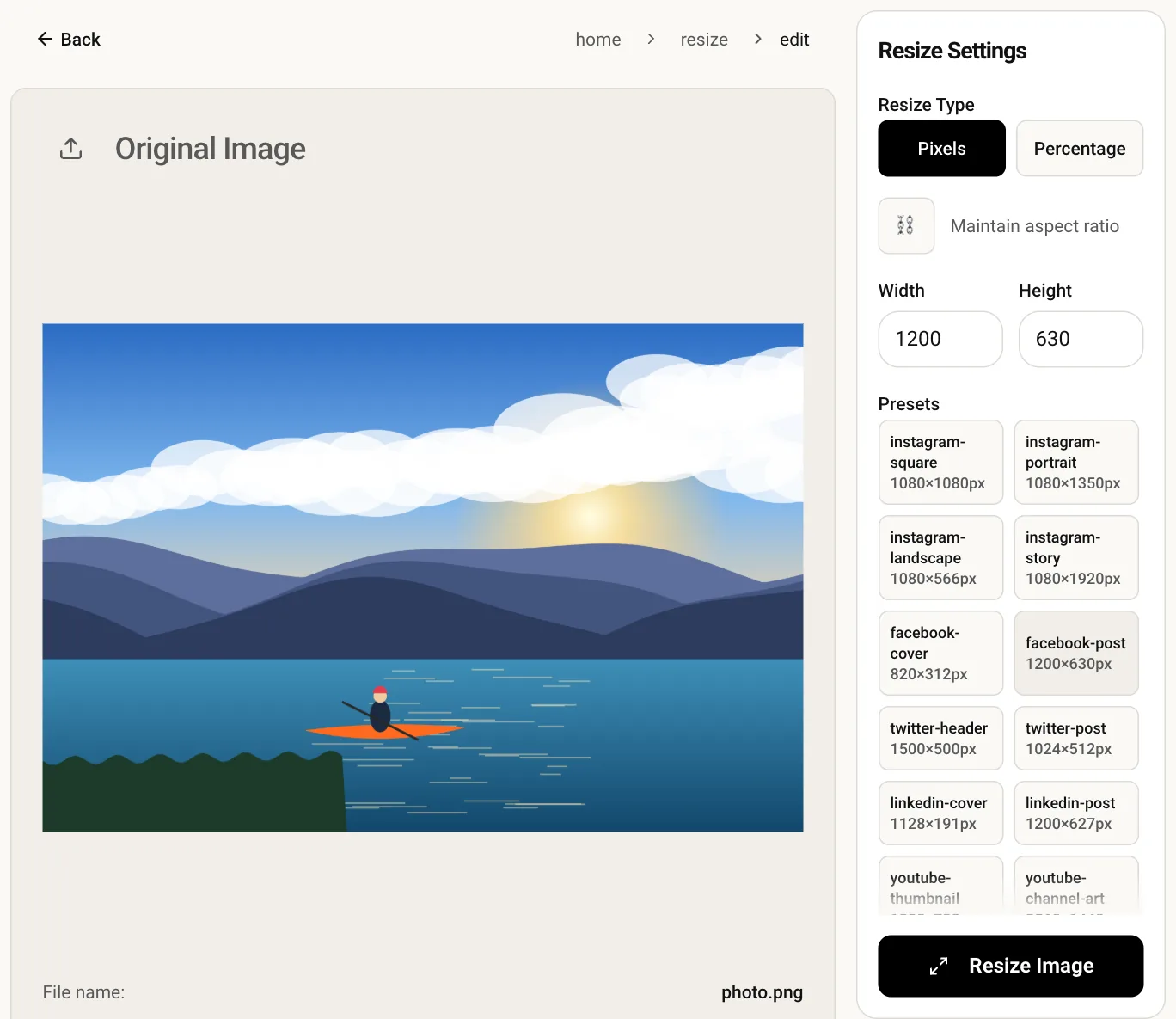
Facebook recommends 1200 × 630, and LinkedIn and most chat apps use the same 1.91:1 shape, so one file works across them.
At 1200 px wide the preview stays crisp on large cards and sharp displays instead of falling back to a small thumbnail.
Draft campaign or product visuals are resized inside your browser tab. No upload happens and no account is needed.
Upload the JPG, PNG or WebP you want to show when your page is shared.
The size is entered for you with the aspect-ratio lock off, so the output matches exactly.
Resize, preview the wide result and download it to reference from your page's og:image tag.
Upload the file to your site and point to it with an og:image meta tag in the page head. Use a full absolute URL starting with https://, and add og:image:width and og:image:height if you can.
Platforms cache previews. After replacing the image, run the link through Facebook's Sharing Debugger or LinkedIn's Post Inspector to refresh it.
Some apps trim a few percent at the edges or use a slightly different shape, such as 2:1 on X. Keep logos and headlines in the central area with a safe margin.
Wide previews are the safe option. Taller images may be cropped or shown as a small square thumbnail depending on the app, so 1200 × 630 is the dependable choice.