
Instagram Grid Maker – Split Photos into Grid Posts
Create 3-column Instagram grids with 1–5 rows.
Create a Polished Grid in Minutes
Follow this simple workflow to turn a single hero shot into a perfectly aligned Instagram profile grid.
- Step 1
Upload
Upload one photo or campaign image for the Instagram grid.
- Step 2
Pick Rows
Choose between 1 and 5 rows. Columns are locked to three, ensuring the grid perfectly fits your profile.
- Step 3
Position & Zoom
Drag to reposition, use the view scale control, or scroll to zoom for precise framing.
- Step 4
Generate and Preview
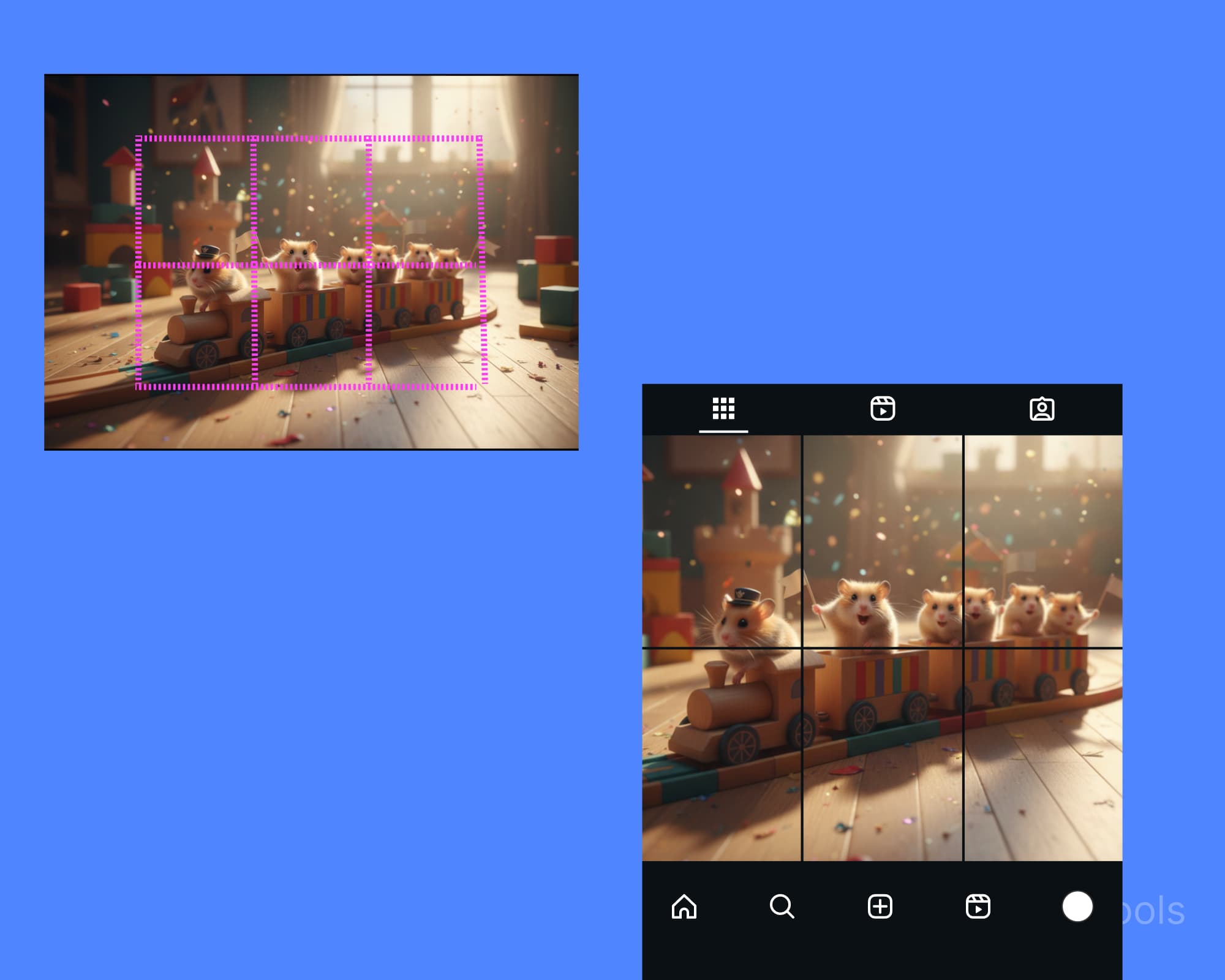
Generate 1080×1350 PNG tiles and review them in the Instagram-style profile preview — no sign-up needed.
- Step 5
Download
Export individual PNG tiles or grab a single ZIP. Tiles are numbered 1 through N from left to right, top to bottom; post the highest number first and piece 1 last for the usual newest-first profile order.
Best Practices for Stunning Grid Reveals
Plan the Hero Tile
Use the middle tile of the top row for your main focal point—it's the first thing followers see.
Mind the Safe Zone
Keep important text or logos away from the edges to avoid being cropped on the profile grid view.
Tell a Story
Use extra rows for close-ups, testimonials, or CTAs to turn a static grid into a compelling narrative.
Frequently Asked Questions
What is the best size for Instagram feed posts?
The ideal size is 1080×1350 pixels (a 4:5 aspect ratio). Our tool automatically crops and resizes every tile to match.
How many tiles can I create for a grid?
Our Instagram feed planner lets you create grids from 3 tiles (1 row × 3 columns) up to 15 tiles (5 rows × 3 columns).
Can I reposition the image before splitting?
Absolutely. Drag the canvas, use the scale slider, or your scroll wheel to zoom and perfectly center your subject in the grid.
Is my image uploaded to a server?
Processing happens locally in your browser — the image is never uploaded, and no sign-up is needed.
How do I post the grid in the correct order?
Tiles are numbered 1 through N from left to right, top to bottom. For the usual newest-first Instagram profile order, post the highest-numbered tile first and piece 1 last; check the profile preview if your account uses pinned or reordered posts.