

Chọn cách lưu trữ ảnh phù hợp là quyết định quan trọng với mọi ứng dụng SaaS. Bài viết này phân tích ba lựa chọn phổ biến (local, AWS S3, CDN) cùng kịch bản sử dụng và ví dụ code cho React/Next.js.
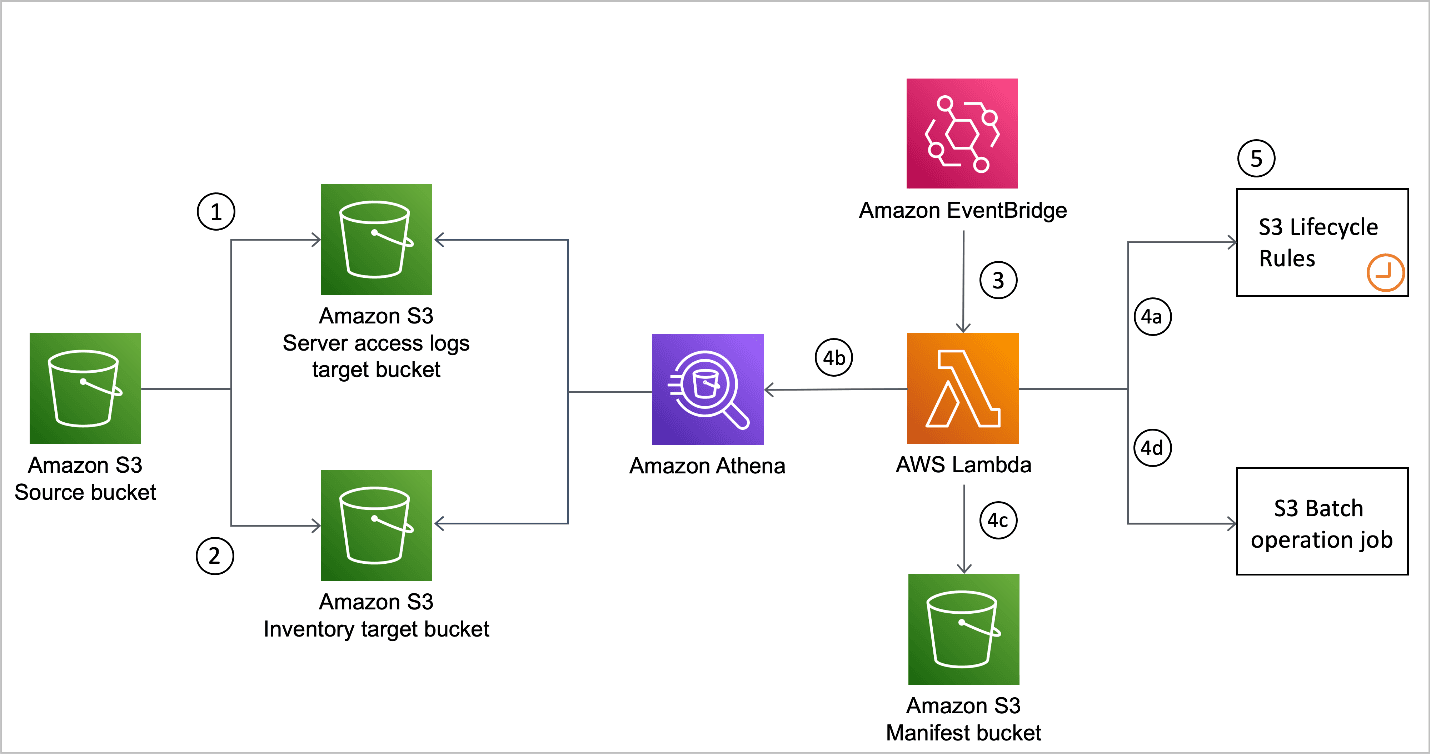
S3
Tổng quan chiến lược lưu trữ
Vì sao cần chiến lược rõ ràng?
- Hiệu năng: ảnh tối ưu → tải nhanh, SEO tốt hơn
- Chi phí băng thông: ảnh nặng = tiền CDN/hosting tăng
- Khả năng mở rộng: chịu được lưu lượng & dung lượng lớn
- Độ tin cậy: đảm bảo uptime & backup
- Tuân thủ: quy định data residency, bảo mật
Lưu trữ local
Khi nào nên dùng?
- MVP, proof-of-concept
- Ứng dụng nhỏ, ít user
- Môi trường dev/test
- Yêu cầu dữ liệu phải nằm on-prem
Nhược điểm
- Khó mở rộng, phụ thuộc dung lượng server
- Single point of failure
- Phải tự lo backup
- Không có edge node cho người dùng toàn cầu
Ví dụ React
Cấu trúc thư mục
src/
├── components/
│   ├── ImageUpload.jsx
│   ├── ImageDisplay.jsx
│   └── ImageGallery.jsx
├── services/
│   ├── imageService.js
│   └── storageService.js
├── utils/
│   ├── imageUtils.js
│   └── fileUtils.js
public/
└── uploads/
    ├── profiles/
    ├── products/
    └── thumbnails/
Component upload
import React, { useState } from "react";
import { uploadImage } from "../services/imageService";

function ImageUpload({ onUploadSuccess, category = "general" }) {
  // ... giống nguyên mẫu
}
API Express
// server.js
const express = require("express");
const multer = require("multer");
const path = require("path");
const fs = require("fs");
const sharp = require("sharp");

// cấu hình diskStorage, validate mimetype, giới hạn 5MB
// tạo thumbnail + optimized -> trả về path
Next.js API Route
// pages/api/upload.js
import formidable from "formidable";
import fs from "fs";
import path from "path";
import sharp from "sharp";

export const config = { api: { bodyParser: false } };

export default async function handler(req, res) {
  // parse form, move file vào /public/uploads, tạo thumb + opt
}
AWS S3
Khi nào chọn S3?
- Ứng dụng lớn cần mở rộng linh hoạt
- User toàn cầu
- Cần SLA cao, durability 11 số 9
- Trả tiền theo dung lượng dùng thực tế
Lợi ích chính
- Không giới hạn dung lượng
- Dữ liệu replication nhiều AZ
- Tích hợp trực tiếp với dịch vụ AWS & CDN
- Chi phí lưu trữ thấp (chỉ 0.023 USD/GB/tháng ở tier chuẩn)
Cấu hình bucket
Bucket policy cho public đọc
{
  "Version": "2012-10-17",
  "Statement": [
    {
      "Effect": "Allow",
      "Principal": "*",
      "Action": "s3:GetObject",
      "Resource": "arn:aws:s3:::your-saas-images/*"
    }
  ]
}
CORS
[
  {
    "AllowedHeaders": ["*"],
    "AllowedMethods": ["GET", "PUT", "POST", "DELETE"],
    "AllowedOrigins": ["https://yourdomain.com"],
    "ExposeHeaders": ["ETag"],
    "MaxAgeSeconds": 3600
  }
]
React + S3 service
// services/s3Service.js
import AWS from "aws-sdk";

class S3Service {
  constructor() {
    this.s3 = new AWS.S3({
      accessKeyId: process.env.REACT_APP_AWS_ACCESS_KEY_ID,
      secretAccessKey: process.env.REACT_APP_AWS_SECRET_ACCESS_KEY,
      region: process.env.REACT_APP_AWS_REGION,
    });
    this.bucketName = process.env.REACT_APP_S3_BUCKET_NAME;
  }

  uploadFile(file, key) {
    return this.s3
      .upload({
        Bucket: this.bucketName,
        Key: key,
        Body: file,
        ContentType: file.type,
        ACL: "public-read",
      })
      .promise();
  }
}
Next.js API upload tới S3
// pages/api/s3-upload.js
import AWS from "aws-sdk";
import formidable from "formidable";
import fs from "fs";
import { v4 as uuidv4 } from "uuid";
import sharp from "sharp";

export const config = { api: { bodyParser: false } };

export default async function handler(req, res) {
  // parse file, tạo key `${category}/${uuid}.ext`, upload original + thumbnail
}
Component hiển thị ảnh S3
import Image from "next/image";
import { useState } from "react";

function S3Image({
  src,
  alt,
  width,
  height,
  fallback = "/placeholder.jpg",
  ...props
}) {
  // nếu src không phải URL đầy đủ → tự build `https://{bucket}.s3.{region}.amazonaws.com/${src}`
  // handle onError/onLoad để show skeleton
}
CDN (CloudFront + S3)
Khi nào cần CDN?
- User phân tán toàn cầu
- Nhu cầu hiệu năng cao, giảm TTFB
- Traffic lớn muốn giảm tải cho origin
- Tập trung tối ưu Core Web Vitals
Cấu hình CloudFront
const cloudfrontConfig = {
  distributionId: process.env.CLOUDFRONT_DISTRIBUTION_ID,
  domainName: process.env.CLOUDFRONT_DOMAIN_NAME,
  origins: [
    {
      domainName: `${process.env.S3_BUCKET_NAME}.s3.${process.env.AWS_REGION}.amazonaws.com`,
      originPath: "/images",
    },
  ],
  defaultCacheBehavior: {
    targetOriginId: "S3-origin",
    viewerProtocolPolicy: "redirect-to-https",
    cachePolicyId: "Managed-CachingOptimized",
    compress: true,
  },
};
Dịch vụ tạo URL tối ưu
class CDNService {
  constructor() {
    this.cloudFrontDomain = process.env.REACT_APP_CLOUDFRONT_DOMAIN;
  }

  getOptimizedUrl(key, options = {}) {
    const params = new URLSearchParams();
    if (options.width) params.append("width", options.width);
    if (options.height) params.append("height", options.height);
    params.append("quality", options.quality ?? 85);
    return `https://${this.cloudFrontDomain}/${key}?${params.toString()}`;
  }
}
Chiến lược cache
- HTTP headers:
Cache-Control: public, max-age=31536000, immutable - Service Worker: cache offline ảnh quan trọng
- Lambda@Edge: resize on-the-fly (tuỳ nhu cầu)
So sánh chi phí
| Hạng mục | Local | S3 | CloudFront | | ------------- | ---------------------- | ------------------------------------- | ----------------------------- | | Lưu trữ | Chi phí server cố định | 0.023 USD/GB/tháng | - | | Request | - | GET: 0.0004 USD/1k | 0.0075 USD/10k | | Data transfer | Tuỳ hosting | 0.09 USD/GB (10TB đầu) | 0.085 USD/GB (10TB đầu) | | Bảo trì | Tự lo backup | Lifecycle policy, Intelligent Tiering | Tích hợp Origin Shield, cache |
Tối ưu chi phí
- Dùng lifecycle chuyển file cũ sang Standard-IA/Glacier
- Intelligent Tiering để tự động chuyển class
- Nén ảnh trước khi upload để giảm dữ liệu
Bảo mật & kiểm soát truy cập
- Giới hạn IAM role được phép đọc/ghi S3
- Dùng presigned URL cho upload/download tạm thời
- Validate file type, kích thước, chữ ký
- Kiểm tra magic bytes để tránh file giả mạo
const ALLOWED_TYPES = ["image/jpeg", "image/png", "image/webp"];
const MAX_FILE_SIZE = 10 * 1024 * 1024;

function validateFile(file) {
  if (!ALLOWED_TYPES.includes(file.type)) throw new Error("Invalid file type");
  if (file.size > MAX_FILE_SIZE) throw new Error("File too large");
}
Monitoring & analytics
- Hiệu năng: sử dụng PerformanceObserver để log thời gian load ảnh
- CloudWatch: theo dõi dung lượng bucket, số request
- Error tracking: bắt sự kiện
img.onerrorgửi về hệ thống log
Kết luận & gợi ý triển khai
| Giai đoạn | Giải pháp đề xuất | | ------------------------- | ----------------------------- | | MVP / sản phẩm nhỏ | Local để nhanh và rẻ | | Bắt đầu scale | Chuyển dần sang S3 | | Tối ưu hiệu năng toàn cầu | Kết hợp S3 + CDN (CloudFront) |
- Bắt đầu đơn giản với local trong giai đoạn thử nghiệm.
- Khi user tăng, di chuyển dữ liệu lên S3, tận dụng tính năng versioning, lifecycle.
- Khi performance là ưu tiên, cấu hình CloudFront để phân phối toàn cầu.
- Luôn theo dõi chi phí và cập nhật policy bảo mật.
- Tự động hoá quá trình upload, nén, phân phối bằng script/CI/CD.
Sẵn sàng cho hệ thống lưu trữ ảnh tối ưu? Sử dụng bộ công cụ của chúng tôi để nén, chia nhỏ và phân phối hình ảnh cho ứng dụng SaaS của bạn ngay hôm nay!